Using Obsidian as a Personal Inventory System
Intro
For a while I have been interested in creating a personal inventory system to keep track of things like tools and parts for DIY projects. It gets tricky after while remembering where everything is and you end up digging through multiple boxes and drawers to find a specific item. Even worse, sometimes you can't find something you are SURE you already own and you end up buying another one.
Having a personal inventory system seems like a great solution to this problem, but all of the options I came across had a lot of downsides.
Take this open source home server application for example Homebox
Even if we ignore the obvious barrier for most people here, which is that you need to run this on a server (which I have), if I implemented that it would just become another piece of infrastructure I need to maintain. And I already do a lot of that.
There are a whole bunch of options on the mobile app stores as well. But nothing had all the features I was looking for, which are the following:
- Cross platform
- Syncs across all of my devices
- Non-proprietary data format
- Supports images and custom properties
- Free
- Easy to maintain
I realized that my ideal solution would be to use Obsidian for this purpose, if I could. That offers the following benefits:
- Already use Obsidian for my personal notes
- Could link to inventory items in my notes
- Cross platform
- Syncs across all of my devices
- Non-proprietary data format (Markdown files with YAML front matter)
- Supports images and custom properties
- Free
- Easy to maintain
It actually checks all the boxes, if you can get it to work. And after tinkering with this for a few weeks I found that it does. In fact it works PERFECTLY for this purpose, completely vanilla with no plugins or customizations.
The System
Here are the principles of the system.
- Each item is a note
- Each folder is a location/container
For each note the title is the name of the item. Then you can add any number of properties to the note. For example:
- value ($)
- picture (image)
are standard properties that are universal to all items. Then for specific kinds of items like hardware you can add a more specific set of properties like type/thread/length/drive type/head type/material/quantity/etc.
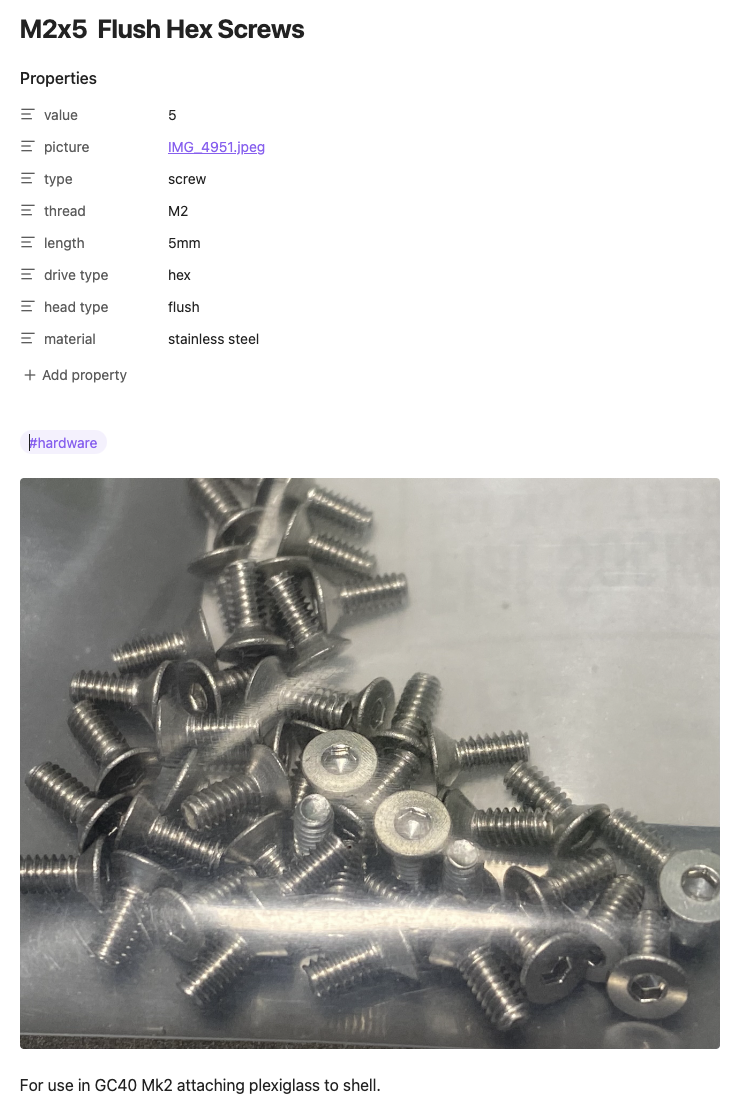
You can also add any number of tags to the notes. For example:
- tool
- hardware
- soldering
Then you place the note in a folder that is named after the physical location of that item. For example I have a set of Sidio Crates that I keep in my office. I have the crates labeled with numbers. IE Ten crates, ten folders.
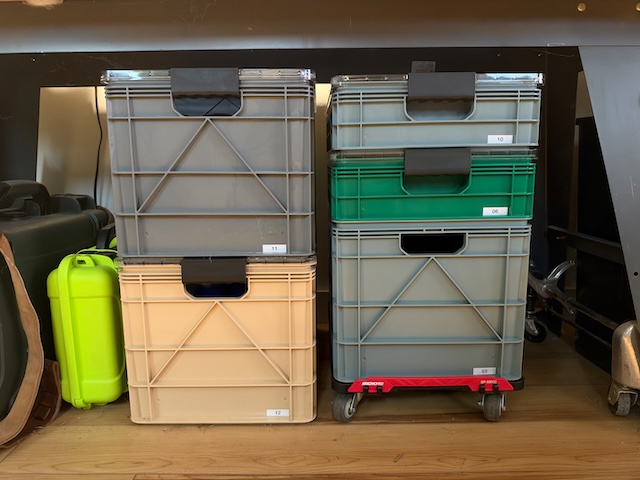
If I put the screws into crate 5, I drag the note into the Sidio 5 folder. If I move the screws I just drag the note to another folder.
Here is where it gets crazy.
Bases
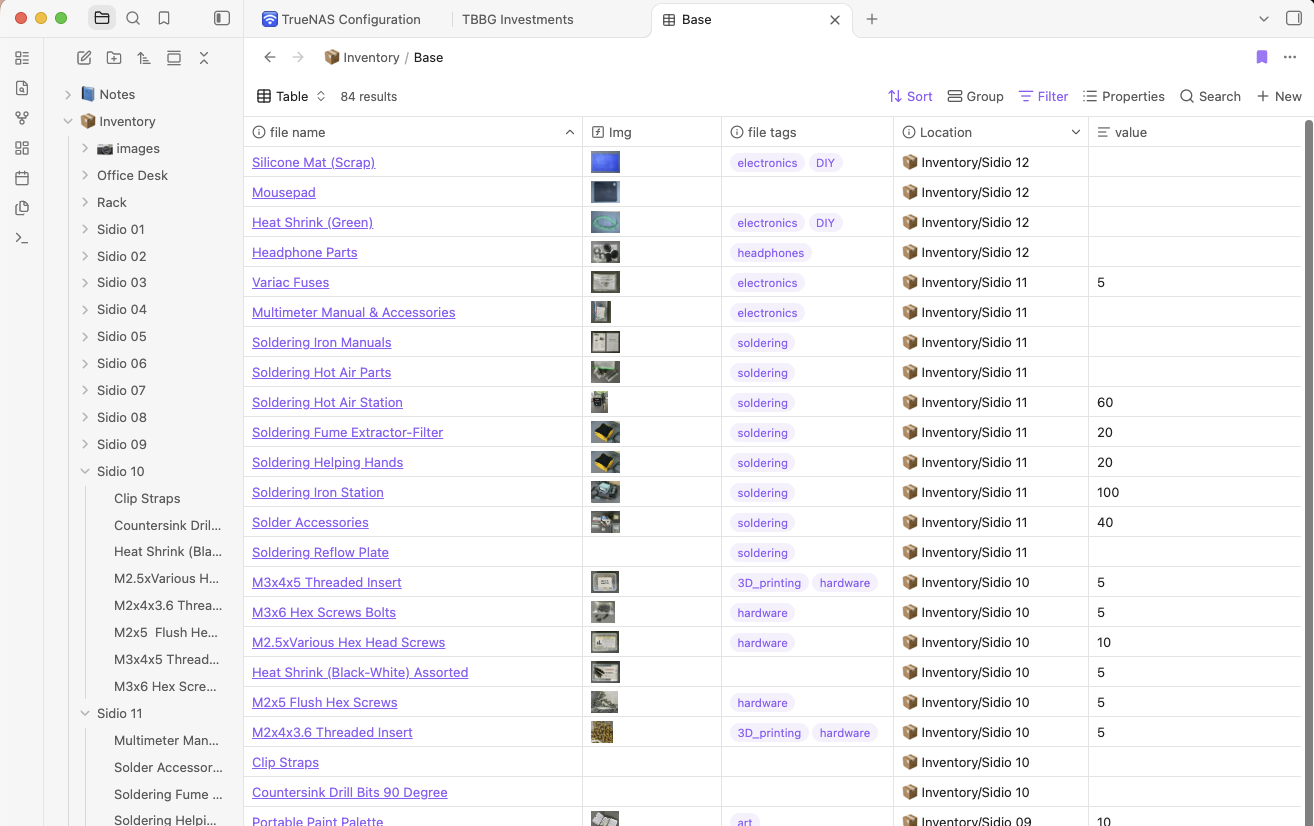
The built in search functionality of Obsidian already makes it easy to find individual items. But bases are where it really takes off.
Using Obsidian bases you can create sortable, filterable lists of items based on their properties. You can make more than one depending on the type item you are looking for. You can have a base for your tools, a base for your hardware etc etc.
With a simple search you see everything you have, including pictures locations and properties, searchable on any phone or computer. It's genuinely perfect.
Filling out the inventory
The only downside to creating a system like this is that you have to actually take the time to catalogue all of the items initially (and as you get new things). The fastest way I found to do this is to tag team between your phone and computer. You pull a group of items out of a box and photograph all of them. Then you go to the mouse and keyboard to make the note for each item and add it's properties and images. Once you get into a flow with this you can catalog an item in a couple minutes.
Initially this feels like a huge waste of time. But there will come a time a few weeks later when you will be looking for one specific thing, and you will open obsidian and search for it, and it will tell you where it is and it will be there. That is a satisfying moment.