Three.js with React
Intro
Three.js and React have a fundamental compatibility challenge similar to D3 with React. Both libraries manipulate the DOM directly - Three.js renders to a canvas element while React manages a Virtual DOM. When building interactive 3D scenes, you'll often want UI controls (sliders, color pickers, toggles) that modify Three.js objects. The naive approach to wiring up these controls causes a frustrating issue: dragging sliders becomes impossible because every state change triggers component re-renders that interrupt the interaction.
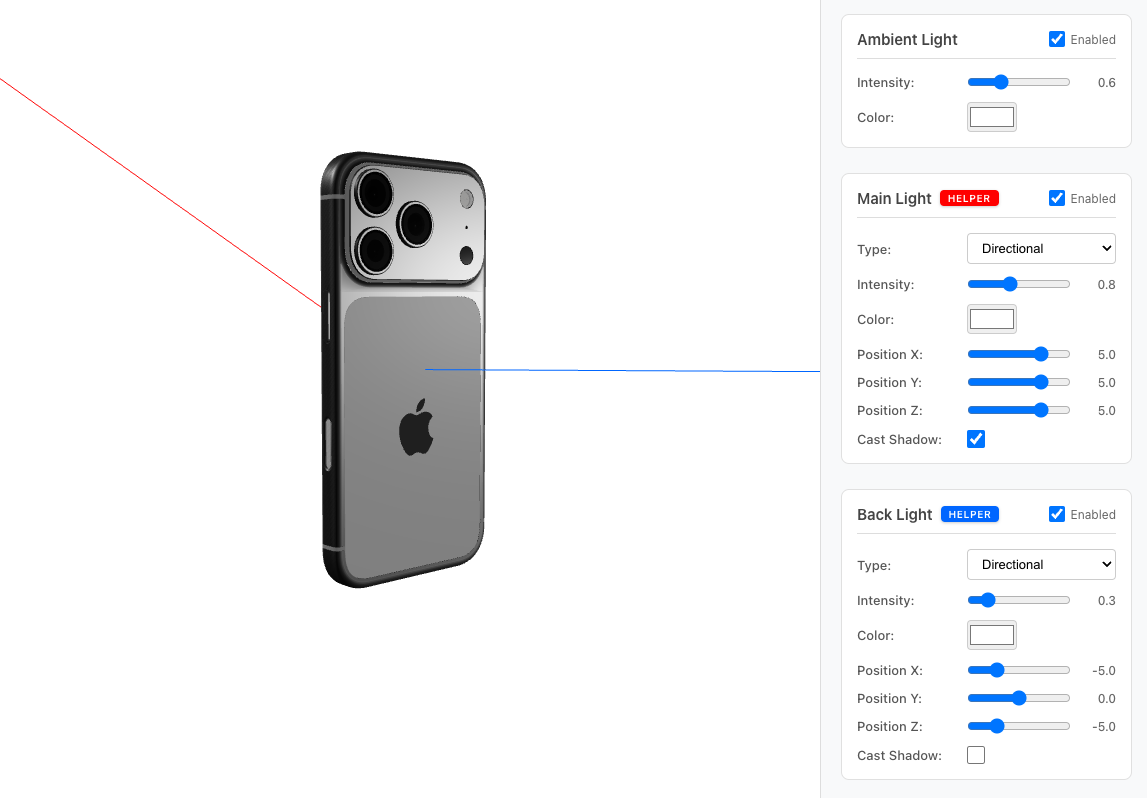
The Issue: Re-rendering Breaks Interactions
Consider a component with multiple lighting controls:
function Scene3D() {
  const [mainLight, setMainLight] = useState({
    intensity: 0.8,
    position: {x: 5, y: 5, z: 5},
  });
  const [backLight, setBackLight] = useState({
    intensity: 0.3,
    position: {x: -5, y: 0, z: -5},
  });
  const [ambientLight, setAmbientLight] = useState({intensity: 0.6});

  return (
    <div>
      <canvas ref={canvasRef} />
      <LightControl config={mainLight} onChange={setMainLight} />
      <LightControl config={backLight} onChange={setBackLight} />
      <LightControl config={ambientLight} onChange={setAmbientLight} />
    </div>
  );
}
When you drag a slider in LightControl, each state update (which happens continuously during drag) causes the parent component to re-render. This re-renders ALL LightControl components, interrupting the drag gesture. The slider moves one increment and stops.
The Solution: React.memo
Wrap your control components with React.memo to prevent unnecessary re-renders:
import {memo} from 'react';

const LightControl = memo(({label, config, onChange}) => {
  return (
    <div className="control-section">
      <h3>{label}</h3>

      <div className="control-row">
        <label>Intensity:</label>
        <input
          type="range"
          min={0}
          max={2}
          step={0.1}
          value={config.intensity}
          onChange={(e) =>
            onChange({...config, intensity: parseFloat(e.target.value)})
          }
        />
        <span>{config.intensity.toFixed(1)}</span>
      </div>

      {config.position && (
        <>
          <div className="control-row">
            <label>Position X:</label>
            <input
              type="range"
              min={-10}
              max={10}
              step={0.5}
              value={config.position.x}
              onChange={(e) =>
                onChange({
                  ...config,
                  position: {...config.position, x: parseFloat(e.target.value)},
                })
              }
            />
            <span>{config.position.x.toFixed(1)}</span>
          </div>
        </>
      )}
    </div>
  );
});

LightControl.displayName = 'LightControl';
Now when you drag a slider:
- Only the specific
LightControlbeing modified re-renders - Other controls remain untouched
- The drag gesture continues smoothly
Updating Three.js Objects
Use useEffect with refs to update Three.js objects when state changes:
function Scene3D() {
  const sceneRef = useRef(null);
  const lightsRef = useRef({});

  const [mainLight, setMainLight] = useState({
    intensity: 0.8,
    position: {x: 5, y: 5, z: 5},
  });

  useEffect(() => {
    // Initial setup
    const scene = new THREE.Scene();
    sceneRef.current = scene;

    const light = new THREE.DirectionalLight(0xffffff, 0.8);
    light.position.set(5, 5, 5);
    scene.add(light);
    lightsRef.current.main = light;

    // ... renderer, camera, controls setup
  }, []);

  useEffect(() => {
    // Update lights when state changes
    const scene = sceneRef.current;
    const lights = lightsRef.current;

    if (!scene || !lights.main) return;

    lights.main.intensity = mainLight.intensity;
    lights.main.position.set(
      mainLight.position.x,
      mainLight.position.y,
      mainLight.position.z,
    );
  }, [mainLight]);

  return (
    <div>
      <canvas ref={canvasRef} />
      <LightControl config={mainLight} onChange={setMainLight} />
    </div>
  );
}
Avoiding Canvas Event Conflicts
If controls overlay the canvas, OrbitControls may capture events. Two solutions:
Option 1: Separate sidebar
.wrapper {
  display: flex;
}

.canvas-container {
  flex: 1;
}

.controls-sidebar {
  width: 340px;
  background: #f8f9fa;
}
Option 2: Disable controls on hover
<div
  className="overlay-controls"
  onPointerEnter={() => (orbitControls.enabled = false)}
  onPointerLeave={() => (orbitControls.enabled = true)}>
  {/* controls */}
</div>
Key Takeaways
- Use
React.memoto prevent child components from re-rendering when sibling state changes - Use
useRefto maintain references to Three.js objects across renders - Separate initialization from updates - create objects in one
useEffect, update them in another - Isolate controls from the canvas to avoid event conflicts
The pattern is similar to D3 with React